As Google’s search algorithm gets more advanced, it’s only natural that the methods you use to optimize your site need to become more advanced as well. One tool that is extremely powerful, yet vastly underutilized, is Schema.org Structured Data, primarily referred to as “Schema.”
Schema is a structured data vocabulary that allows you add descriptive microdata to a web page’s html. Confused? In a nutshell, Schema lets you "tag" popular types of content so all of the major search engines (including Google, Bing and Yahoo) have a better idea of what you're talking about. For example, you can use Schema to specifically tell a search engine that certain content on your website is a(n):
This is going to get a bit techy for the average reader, but Schema can be implemented using different formats. The three most common formats are Microdata, RDFa and JSON-LD. Microdata is the most popular and is primarily used with the Schema vocabulary. I personally prefer RDFa, because it allows you to use other vocabularies like Good Relations, Friend of a Friend (FoaF) and Dublin Core. The third type, JSON-LD, hasn’t been supported as long as Micordata and RDFa, but is becoming increasingly more popular as JavaScript generated content is becoming “crawlable.”
To give you a better idea how Schema can help search engines understand your content better, let’s start with a simple example using RDFa.
Let’s say you have a blog and you want to write an article about Kiwi Creative. Your title in the html would look something like:
The problem? The word “kiwi” can be used to describe different things. You could be referring to the flightless bird native to New Zealand or the oh-so delicious fruit, but in this case you’re writing about the awesome creative agency based in Strongsville, Ohio.
To be fair, Google and other search engines would scan the entire article and hopefully figure out you’re talking about Kiwi Creative. However, you can avoid any potential confusion with a little Schema markup. To identify Kiwi Creative as a local business, you would use the LocalBusiness type; and, because the only information I’m presenting is Kiwi’s name, you would only use the name property.
Now when a search engine crawls this page, it will know you are talking about a local business named Kiwi and not any other type of kiwi!
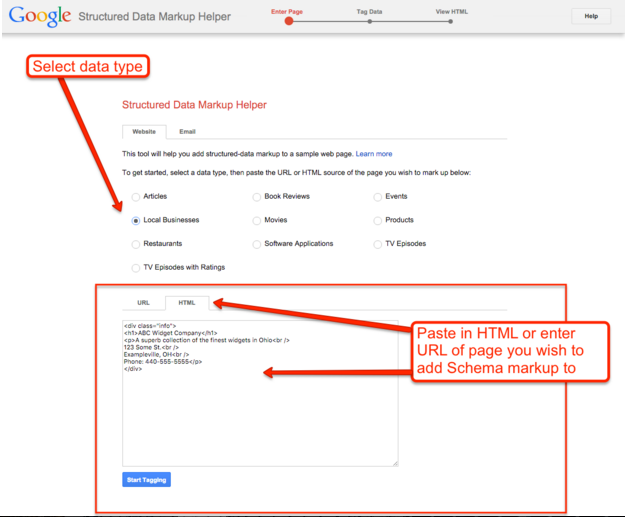
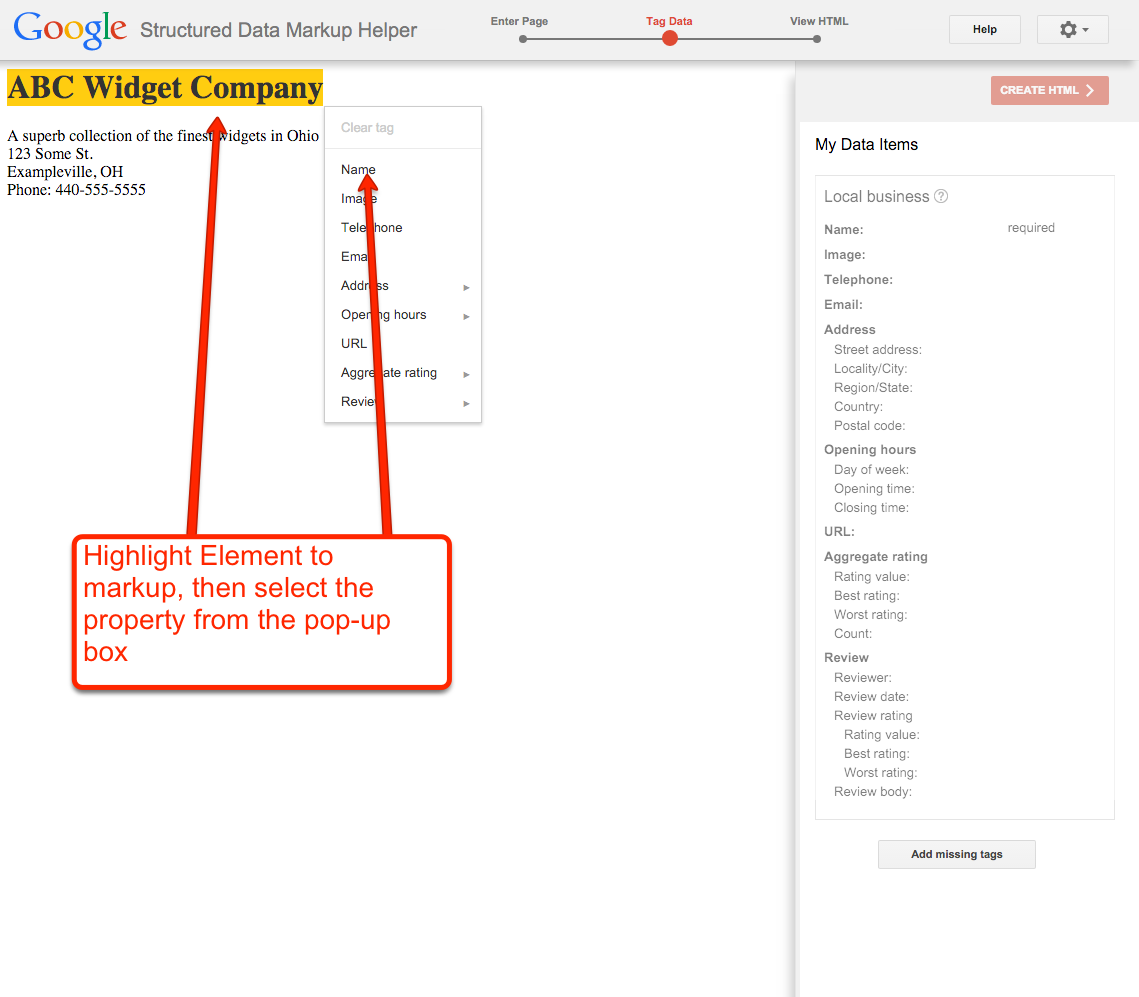
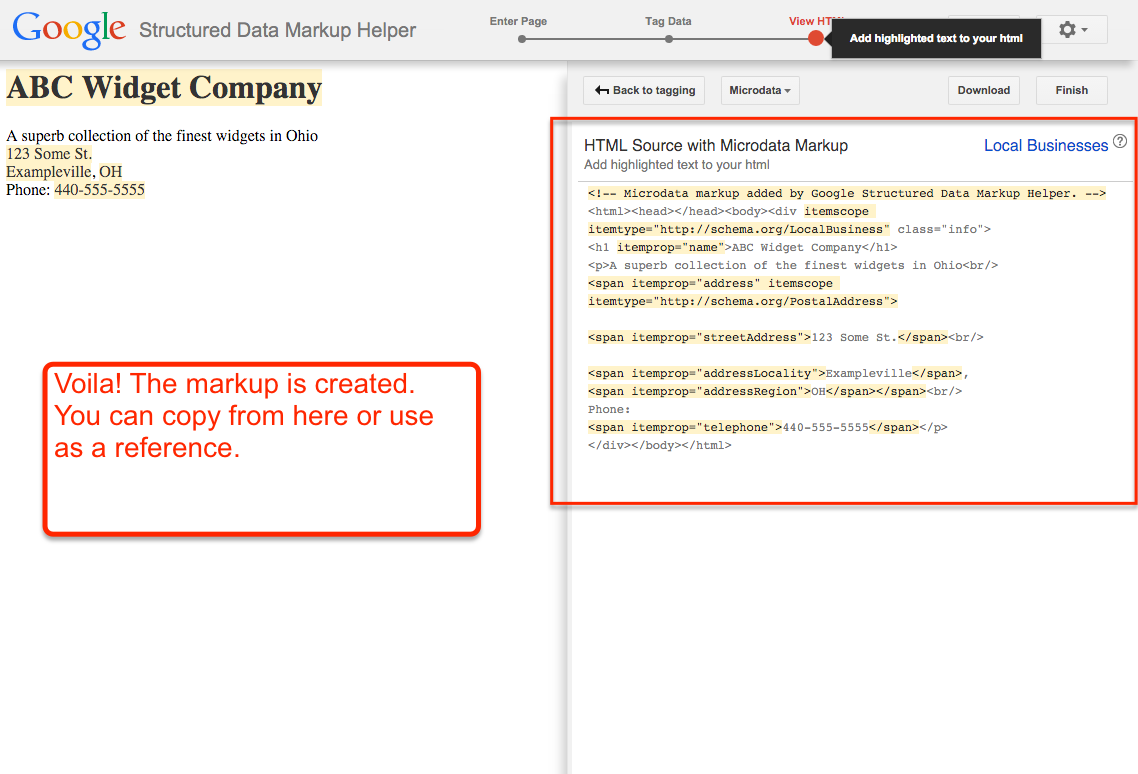
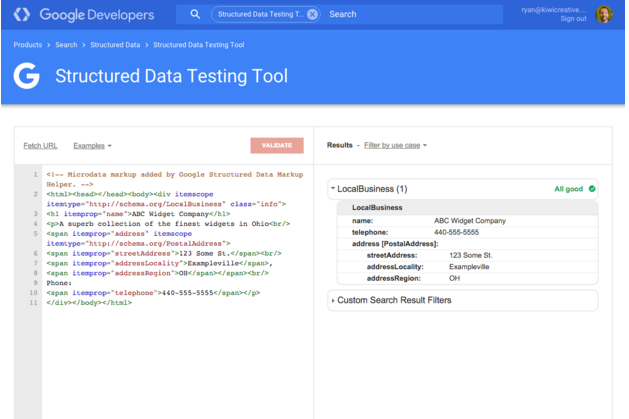
If you have basic knowledge of HTML, you can get started adding Schema to your website or blog right away. Luckily, Google has provided a very helpful tool, Structured Data Markup Helper, which will actually create the markup for the most commonly used data types.