

10 Tips for New Graphic Design Grads: A Must-Read Before You Interview for a Job

It’s almost graduation season, which means it’s time for a whole new wave of newbie designers to enter the workforce. If you’re one of them, read on.

In my seven or so years as a “real” design professional, I’ve been a reviewer at plenty of portfolio showcases. I’ve also hired a handful of interns, given a slew of studio tours and fielded countless emails from young prospects. And in almost every case, I’m sorely disappointed.

To help out these new graphic design grads, I’ve written the following ten tips as a sort of public service announcement. If you’ve already got some rockin’ pieces in your portfolio, then this advice should help you get hired at your dream first job.

1. Get an Internship

Designing in an academic environment couldn’t be further removed from the realities of designing in a “real” workplace. In school, you aren’t billing by the hour. You don’t have a shoestring budget for printing. You don’t have clients who are changing the project scope every two hours. In other words, you’re working in a fantasy world of unlimited time and money without any of the restrictions that exist at an actual agency. An internship will prepare you for the realities of working with real clients who have a real budget and need work on a real deadline. Getting this experience before graduation will set you ahead of everyone else who only has schoolwork in their portfolio.

2. Ask for a Studio Tour

Ask for an interview and people will tell you they’re not hiring. Ask for a “quick studio tour” at an agency you really admire and you’ll get right through the door. Sure, we all know that’s code for “I-really-hope-you’ll-hire-me-in-the-future,” but it’s must less intimidating for creative directors. Don’t believe me? When I was applying for a new job a few years ago, I contacted 11 different agencies around Cleveland. I heard back from nine creative directors. I went in for eight studio tours. And one of those places hired me only three months later for a job that they never even posted publicly.

3. Cut Down Your Portfolio

I don’t need (or want!) to see every piece you’ve designed since the first semester of your freshman year. I have a short attention span. I’ll know if I like your stuff within the first few pages. Make me sit through 20+ brochure samples and I’ll not only be bored to tears, but I’ll also find more things to pick apart. Instead, only feature your absolute best work that excites you and relates to the company where you’re interviewing. For a new grad, this usually means 7-10 pieces. Period. Oh, and don’t hand me anything longer than a 1-page resume. It makes me think you’re either egotistical or can’t self-edit your ideas.

4. Customize Your Portfolio

If you’re interviewing at a publishing house, you don’t need to include trade show graphics. If you’re interviewing at a web firm, they probably don’t care about your logo designs. Know what each specific company does and pack your portfolio with that type of work. Your other stuff may be “pretty,” but your potential boss only cares that you will be able to excel at the position for which you’re being hired. So, if you’re a fabulous illustrator, go ahead and include a single example of your character drawings (maybe they’ll use those skills on a special one-off project)…just make sure that the rest of your book is packed with more relevant samples.

5. Show Your Work in a Real Environment

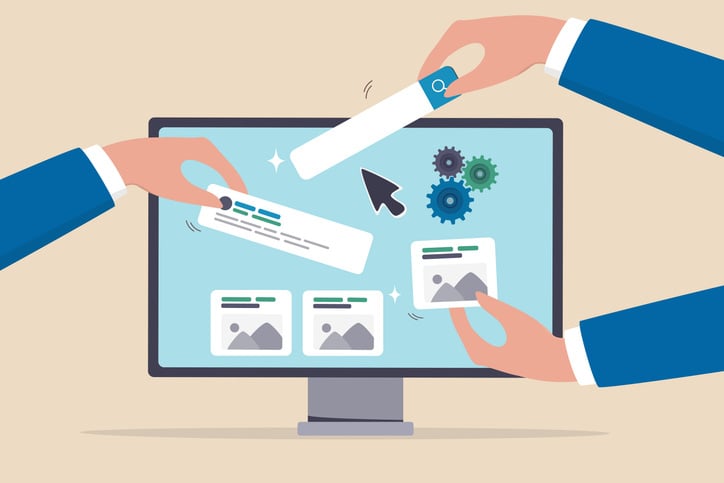
Nothing bores me more than seeing a flat brochure spread or a two-dimensional trade show display. Go ahead and put that website design inside a photo of a computer monitor. Photoshop your poster on to an image of a transit shelter. This shows me that you’ve gone that extra step to polish up your book and makes it infinitely easier to envision your work in a real environment.

6. Approach Work with a Marketing Mind

Almost every college student has a “redesign” project in their portfolio. (They’ll take a wine label or a magazine cover or something like that and totally redesign it from the ground up.) While new designers usually spend their time explaining how they made it look different (cleaner typeface, more white space, etc.), I want to know WHY they made it different. If you’ve redesigned something to make it look “new” or “pretty,” I’m not impressed. If you’ve redesigned something because you understand that specific product’s target market and have identified a way to improve that connection through visual design, however, I’m very, very, very impressed. Think of this like a critical thinking test.

7. Do Your Research

Before you walk in the door for an interview, you should Google the hell out of your potential employer. Have you looked at their most recent work on the portfolio section of their website? Have you checked out the LinkedIn profiles for people who work at that company to learn more about their positions? If not, do it. Now.

8. Be Social (Media)

Almost every company has a blog. Read it. And a Facebook page. Like them. And a Twitter account. Follow them. And a newsletter. Subscribe to it. Get where I’m going? Agencies make it SO easy to learn about their corporate culture, recent work and (ahem) un-posted job opportunities through social media…you’d be a FOOL not to jump on this insider info.

9. Be Prepared to Answer Questions

Curious what I like to ask potential employees? Here some examples:

  • What did you like about this company/position that prompted you to apply for this job?
  • How do you stay up to date with changing software and technology?
  • What did you like/not like about your previous positions?
  • What are you career goals?

10. Ask Questions Yourself

When an interviewer asks you, “Do you have any questions for me?” the answer better be Y-E-S! In case you’re stuck, here are several questions that I always hope potential employees ask me to show that they’re interested:

  • What’s a typical “day in the life” of a person with this job?
  • Tell me more about the corporate culture here.
  • How has the company changed over the past decade? Where is it going in the future?
  • Can you show me around the creative department?

Bonus Tip: Stay in Touch

Didn’t get hired for that job? Don’t sweat it. But do stay in touch. Not enough to be annoying, but checking in every six months or so is completely acceptable. (Assuming you got a good vibe during the original interview, of course.) Creative directors switch agencies. Marketing firms merge and split with other local studios. (And you’ll know exactly when stuff like this happens because you’ve subscribed to social media feeds and newsletters, right?) Bottom line: You never know when you’ll meet up with someone again in the future. Make sure they remember you when you do.


ABOUT THE AUTHOR
Jen Lombardi is the head honcho and creative genius at Kiwi Creative, a small marketing and design studio located in the lovely ‘burbs of Cleveland, Ohio. We help small businesses and marketing departments within larger organizations with cool projects that involve graphic design and illustration, website development, online advertising and social media strategy. Oh, and we’re a pretty awesome group to work with, if we do say so ourselves…
Follow Kiwi Creative on Facebook, Twitter, Pinterest, and LinkedIn. Or subscribe to our newsletter. Gracias.


“The Big Bang Theory” & Their Unrealistically Profitable Hair Accessories Website


“The Big Bang Theory” is my favorite television show, hands down. But just because I laugh so hard I almost pee my pants during every episode doesn’t mean I won’t point out its horrible inaccuracies when it comes to web design.

(Hey, I’m an equal opportunity critic: check out my other blog post about “2 Broke Girls” and their unrealistically cheap cupcake website.)

In season two, Penny decides to make some extra cash by selling “Penny Blossoms” – fabric flower hair barrettes complete with cutesy li’l rhinestones. While the business starts off as a small venture, Penny’s four geeky friends soon decide to “help” her expand sales and production. As part of their marketing strategy, they decide to sell their product online. And, through television magic, they have a complete e-commerce website designed and launched within just a couple hours. And an order for 1,000 hair clips just minutes after going live.

Riiiiiight.

Now I don’t want to kill all creative liberties in television and movies (it was a damn funny episode, after all), but come on people. When I get potential clients coming in to my office who think I can launch a website in under a week that will make them rich by the end of the month, I start to wonder where they’re getting this type of misinformation.

In case I need to point out the inaccuracies in this episode, here you go:

  • You can not design a website in two hours. Even one that looks as pastel-a-rific as theirs did. (See the faux site that the show launched for fans like me.)
  • To sell online, you have to be approved for a merchant account/payment gateway or some other form of accepting online payments. This process can take several days. And they probably wouldn’t approve someone with a shabby credit history like Penny.
  • And, most of all, “if you build it, they will come” does not apply to the online world. It takes months of a targeted SEO strategy to raise to the top of search engine rankings. Unless your mom is ordering hair clips from the next room, there’s no way you’d get an order for 1,000 items a few seconds after your website goes live.

P.S. If you want to actually buy a Penny Blossom, check out Etsy: http://www.etsy.com/shop/BrightCopperPenny. They are kinda cute, huh?


“2 Broke Girls” & Their Unrealistically Cheap Cupcake Website

My husband has a li’l obsession with the CBS comedy “2 Broke Girls.” (Well, more like he has a crush on Max, the sassy waitress played by Kat Dennings [the one on the left.]) And, being the good wife that I am (ha!), I’ve watched every single episode with him.

For those not familiar with the show, two waitresses are trying to launch a cupcake venture out of their (unrealistically large) apartment in Brooklyn so they can ditch their crappy lifestyle and become rich n’ famous. As part of their journey, business-smart Caroline (who mentions that she has an MBA from Wharton in just about every episode) decides that they need to build a website to boost cupcake sales. She finds a super hot web designer (who she ends up hooking up with) to build their site for $600. But in a future episode, she remarks how disappointed she is that her “expensive” website hasn’t resulted in a single sale.

Ahhh…television. How you continually distort reality. If I were a marketing and design advisor on your show, here’s what I would have pointed out to you:

  • A $600 website is not “expensive.” In fact, I doubt you could find a single professional web designer in NYC to design an e-commerce site for that amount of money. Anyone willing to build a custom site for that little (especially in the NYC market) will almost certainly be inexperienced and untalented. In that case, you didn’t save money by going with a cheap designer/developer. You actually just wasted your entire $600 investment.
  • Remember that old saying “build it and they will come”? Well, that’s totally false when it comes to websites. Without a comprehensive and ongoing SEO and SEM strategy, no one is going to find your website. No matter how good your cupcakes taste. This is also not going to happen overnight, so don’t think you’ll be rich a week after your site launches.
  • I really, really, really hope a graduate of Wharton’s MBA program would know all of this. Otherwise, Caroline wasted all of her daddy’s money getting that advanced degree when a little real world experience would have done her much better.

Why Pinterest is Important for Your Business

We’re hooked on Pinterest. And here’s why you should be, too.

I know what you’re thinking… “Oh crap, another social media site where you can waste more time. Don’t we have enough of those already?” The answer, in this case: no.

If you’re not familar with this newest social media phenomenon, Pinterest is an online pinboard where users can organize and share photos (and videos) of things that they find interesting. (Get it? Pin + interest = Pinterest.) In the short amount of time that we’ve been on the site (it’s still in invite-only beta mode), we’ve been absolutely blown away by the number of times our “pins” have been liked, commented on and repinned to other users’ boards. In fact, within minutes of creating our first board, we already had over a dozen followers who were repinning our material like crazy.

How does this apply to your business? Well, if you have a website with photos and videos on it (which you should!), people may already be pinning your content without you knowing it. In fact, after examining a client’s Google Analytics account, we found that several photos in his architecture portfolio were being pinned to a board of “dream house” ideas.” (Quick tip… enter “http://pinterest.com/source/” followed by your website “example.com” and you can see who is pinning content from your website.)

Want to take a more active role on Pinterest? Create a corporate account and make up your own inspiration boards. (Many companies are doing this already, like Vera Bradley and Glamour magazine.) Like all social media sites, your Pinterest account should not be purely self-promotional. Sure, create a couple boards featuring your own products, but also go ahead and honor other brands/products/ideas that inspire your company. By posting a mix of original content and repinning other posts, you’ll build up a quick following (and increased brand awareness) in this new social media community. And, in this arena, maximum exposure is the name of the game to reach those potential customers.

Already have an account? Follow Kiwi Creative on Pinterest and be sure to check out our board of Kiwi-licious products we love.

Want an invite to Pinterest? Contact us and we’ll hook you up. Or, even better, let Kiwi Creative help you out with a comprehensive social media strategy, including Pinterest.

Why I’m asking for your design and marketing budget

When I ask the all-important (and much dreaded) “what’s your budget” question to new clients, I almost always get the same response: “I’m not really sure. Can’t you tell me how much it will cost?” My answer? Not really.

I had been wanting to write a blog posting on this topic for quite some time when I received the email below from Ilise Benun at The Marketing Mix with an article written by designer Lisa Smith Youngdahl. She explains it as well as I ever could, so I’ll let you read what she had to say…

When a client approaches me about a new design project, I will ask what the budget is for this project. Often, the client is not prepared for this question.Why do you think I would ask this question?

A.  I want to find out the highest possible cost the client willing to pay.

B.  I have no idea what I’m doing, or how much to charge.

C.  To help my client obtain the best value for what his business can afford.

Of course, if you think about it, “c” is the right answer. A good designer wants to help the client and create successful marketing that will help achieve the desired action. If the budget is known, the designer can offer cost effective options that will work within your price range. Having an idea of what you can spend will allow you to work with the designer to prioritize the strongest features you need that fit within your budget.

This process helps create an informed decision about what is the best choice for your marketing, and which might yield the best ROI.

If you feel lost determining a number, a rule of thumb is that 5-10% of your gross profit should be spent on marketing. A new business may need to spend more than an established one.

Top 20 Corporate Buzzwords I Promise To Never Use

Corporate Buzzwords

One of the biggest perks to being a graphic designer has always been the cool creative culture at advertising agencies. Unlike other professions, we enjoy invaluable perks like being able to wear flip flops every day and having afternoon bouncy ball tournaments. But over the past few years, I’ve noticed a disturbing trend: many agencies are losing their “coolness” and falling victim to cliches normally reserved for the corporate world. Their biggest offense? The overuse of corporate buzzwords.

Last time I checked, the entire point of advertising (or effective communications, in general) was to make your message as clear and concise as possible. This means using good ol’ plain English for the common folk, not words better suited for a doctoral theseus. Seriously, people… you may think your expansive vocab makes you sound smart, but it really just makes you sound like a pompous elitist. (Did you like those big words I used there?)

Now that I’m an official “solopreneur,”  here is my list of the top 20 most annoying corporate buzzwords (ahem:: bullshit phrases) that I promise NEVER to use. And if by some freak of nature I accidentally slip up, you have permission to slap me.

  1. Moment (“This is a great opportunity to embrace the moment.”)
  2. Ping (“Mike is ready in the conference room; he said to ping him whenever you’re ready.”)
  3. Bandwidth (“I know you’re busy, so I want to make sure I don’t overload your bandwidth with these new projects.”)
  4. Touchpoint (“You have a great opportunity to reach your audience at this touchpoint.”
  5. Augment (“This additional creative will effectively augment your existing strategy.”)
  6. Talk Offline (“That’s a great point you brought up, but our meeting is almost over; let’s talk about it offline this afternoon.”)
  7. Engage (“Sending out an e-newsletter will be a great way to engage with past customers.”)
  8. Insights (“These new findings will provide some great insights into your business.”)
  9. Methodology (“You’ll see in our report that the methodology behind the proposed strategy is sound.”)
  10. Initiatives (“Your new branding initiatives will most certainly provide a solid return on investment.”)
  11. Onus (“The onus is on the client to provide the background information needed for this project.”)
  12. Value proposition (“The key to distinguishing your business is to identify your unique value proposition in the marketplace.”)
  13. Resonate (“This ad is perfect… it will really resonate with your customers.”)
  14. Hard stop (“I have a phone call at 4 p.m., so we’ll have to have a hard stop on this meeting at 3:45 p.m.)
  15. High level (“Right now we’re dealing with high level concepts; we’ll get into specifics at a later date.)
  16. Facilitate (“Since my boss is gone, I will facilitate today’s presentation.)
  17. Ideate (“We’re going to have a meeting to ideate new creative concepts.”)
  18. Leverage (“We can leverage your current assets as a springboard to move forward.”)
  19. Synergy (“The synergy between your regular and seasonal campaigns will result in increased sales.”)
  20. Streamline (“Combining the processes will really streamline your operations.”)

So that’s my list, but I know there are MANY other good phrases out there worthy of shame. Leave your favorite (or least favorite, I guess) corporate buzzwords in the comments section so we can all have a good laugh!

- – - – - – - – - – - – -

ABOUT THE AUTHOR: Jen Lombardi is the head honcho and creative genius at Kiwi Creative, a suburban Cleveland marketing and branding studio helping small- and medium-sized companies grow their business through innovative and effective communications. With experience in graphic design, web programming, content development, social media and online strategy, Kiwi Creative offers all the expertise of a full-service agency with an affordable price tag.
Follow us on Facebook (http://www.facebook.com/kiwicreativeoh) or Twitter (http://www.twitter.com/kiwicreativeoh)


Choosing a Designer Is A Lot Like Buying A Car

Choosing a good designer is a lot like picking out your next car; there are lots of options (style, cost, speed, etc.) and you should weigh all of them carefully to find the best option for you.

If price is your #1 concern, you can be frugal and opt for a low-end model. A quick Google or Craigslist search will reveal plenty of students, small-time freelancers and even crowdsourcing websites who are willing to do projects for next to nothing. But, be careful…you might find that you get what you pay for. Just like a used car dealership, some designers are heavy on salesmanship but never end up delivering on a quality product. In the long run, you might get stuck with a huge repair bill for a clunker of a car.

If money is no object and you want to make a big splash, a luxury model is your best bet. There are plenty of Mercedes- and BMW-style agencies around… you know the types: large, shiny offices downtown with a roster of big-name clients in the lobby. Sure, they have a lot of experience, but you’re also paying a lot for the brand name.

I like to tell my clients that I am the Volkswagen of designers. Slightly quirky. A little trendy. Dependable and well built. Light-hearted and fun. Affordable, but not cheap. Overall, a good bargain for a quality product.

I’m interested in hearing your perspective… if you’re a designer, what type of car would you describe yourself as to new clients? If you’re a potential client, what type of car are you looking to buy?

- – - – - – - – - – - – -

ABOUT THE AUTHOR: Jen Lombardi is the head honcho and creative genius at Kiwi Creative, a suburban Cleveland marketing and branding studio helping small- and medium-sized companies grow their business through innovative and effective communications. With experience in graphic design, web programming, content development, social media and online strategy, Kiwi Creative offers all the expertise of a full-service agency with an affordable price tag.
Follow us on Facebook (http://www.facebook.com/kiwicreativeoh) or Twitter (http://www.twitter.com/kiwicreativeoh)


Life Lessons of a Creative Small Business Owner – Part 1

It’s been exactly one month since I left my full-time job, so I thought it’d be interesting to share a few “life lessons” I’ve picked up over the past few weeks. I’m sure I’ll be able to write an entire novel of these things by the time I retire (hey, that’s not a bad idea…), so maybe I’ll make this a quarterly article topic.

  • Don’t be afraid to have a personality. One of the reasons I bailed from the downtown advertising scene was that it was becoming too corporate. And I strongly believe that creatives should have fun at their jobs – it’s one of the best perks of our profession. I’ve tried really hard to infuse my casual and slightly quirky personality throughout Kiwi’s website, and it’s received a lot of positive feedback from clients. In fact, I like to think that it’s one of my biggest selling points and sets me apart from other blaaaaah marketing firms who promise generic crap like “great results and professional customer service.” Boring.
  • Email marketing works. Remember that saying “you’re the right person, it’s just the wrong time”? It’s not just for teenage romances – the same thing applies to client relationships. Sending out a single email newsletter has reconnected me with at least three old contacts who I hadn’t spoken to in months. All of them have upcoming projects and were interested in my newer services in the areas of web design and online marketing. If you’re a bit shy or don’t want to send out a corny “heeeeey, how ya doing?” email message to individuals, why not just start a newsletter? It’s a great way to stay top-of-mind with old and new clients. Plus, it’s a perfect way to show of your mad skills in email marketing and design, right?
  • Turn down bad clients and bad projects. You shouldn’t be the right person for every project that comes your way. Be strong enough to recognize when the budget is too low or the work isn’t satisfying; then, spend your time looking for better projects rather than whoring yourself out for subpar work. You’ll just become resentful of your client and upset that you compromised your standards. (Yeah yeah, I know. Easier said than done. I struggle with this one every day.)
  • Office construction will always run behind schedule. Flooring is back ordered. The architect is on vacation. The electrician is MIA. In other words, shit happens. And as much as I don’t like having the cats run all over my keyboard when they want a late-afternoon snack, you just have to deal. A good life lesson in general, no?

- – - – - – - – - – - – -

ABOUT THE AUTHOR: Jen Lombardi is the head honcho and creative genius at Kiwi Creative, a suburban Cleveland marketing and branding studio helping small- and medium-sized companies grow their business through innovative and effective communications. With experience in graphic design, web programming, content development, social media and online strategy, Kiwi Creative offers all the expertise of a full-service agency with an affordable price tag.
Follow us on Facebook (http://www.facebook.com/kiwicreativeoh) or Twitter (http://www.twitter.com/kiwicreativeoh)


Colorful Pantone Jewelry

What do you do with two old books full of Pantone chips? Well, if you’re “Defenstration,” an Etsy crafter from Jersey City, NJ, you make jewelry, of course!

As mentioned in the past, I’m a huge fan of both jewelry (HTML <head> tag earrings, anyone?) AND anything Pantone-related (yummy, cookies!), so it goes without saying that my inner design nerd is drooling over this artist’s earrings and bracelets. (Did I mention my birthday is less than a month away?)

What are you waiting for? Check out her Etsy shop today.

(And I mean today… she’s a getting a lot of coverage in the blog-o-sphere, so I’m sure she’ll sell out quickly!)

How To Override Image Preview for Facebook Links and How To Force Refresh Facebook’s Cache

One of the coolest features when posting a link to Facebook is the image preview and meta tag description that automatically pops up alongside the link. Not only are these details important in reassuring your audience that a post isn’t spam, but they also serve as great teaser which increases the click through rate on posted links.

But what happens when Facebook’s link sharing preview doesn’t work exactly as expected? Major frustration for any web developer.

Here are two common problems I used to experience and easy tricks to fix ‘em (if you have access to a website’s source code):

Problem #1: “Facebook isn’t pulling any images from my website, but clearly there’s at least ONE photo on the page.” Or, “Facebook is only detecting weird images on my page, not the one I want it to.”

Solution #2: Facebook won’t detect photos embedded as background div images via CSS, but it will detect graphics inserted the regular <img src=”xxxx”> tag. If you don’t have any “normal” images, or if those aren’t the ones you want showing up as the thumbnail preview, override the automatic settings and manually choose an image preview for Facebook following these easy steps:

  1. Chose a graphic you want to use as the new preview. Good examples would be the logo or a screenshot of the webpage. Really, anything will work as long as it is relevant to the link and will look good at a small size.
  2. If your image is too large, use an image editing program to shrink the width down to about 250px. (It’ll never appear larger than that, so why waste server space and compromise load time?)
  3. Upload your new optimized image to your web hosting server.
  4. Insert this code in the <head> tag of the page you’ll be referencing:  <link rel=”image_src” href=”http://full_url_of_the_hosted_image” />
  5. Voila! Facebook will now detect the image preview that YOU want, not the one it automatically finds for you.

Oh, wait… you tested your link in Facebook and it’s still showing up as the old preview? Read on to super frustrating problem #2…

Problem #2: “Facebook keeps showing the old image preview / page title / meta description, even though I just updated it.”

Solution #2: Facebook has very overzealous cache which seems to last foooooreeeeeever when you’re trying to test a link! Force clear Facebook’s cache to show updated content by using their “URL Linter” tool: http://developers.facebook.com/tools/lint/

(OK, so really this is a general tool to help you debug your URLs as they relate to using the “like” button. But an awesome side effect is it forces Facebook to reindex your website which will find your new content! Read more about the URL Linter on Facebook’s Developer Blog.)

I hope you’ve found these two tips useful in dealing with Facebook’s (sometimes frustrating) image preview option when posting links. It’s nice to know there’s a way to override the automatic settings, huh? :)

P.S. While you’re on Facebook, why don’t you check out our fan page? We’d love for you to “like” us: http://www.facebook.com/kiwicreativeoh

- – - – - – - – - – - – -

Jen Lombardi is the head honcho and creative genius at Kiwi Creative, a suburban Cleveland marketing and branding studio helping small- and medium-sized companies grow their business through innovative and effective communications. With experience in graphic design, web programming, content development, social media and online strategy, Kiwi Creative offers all the expertise of a full-service agency with an affordable price tag.

Follow us on Facebook (http://www.facebook.com/kiwicreativeoh) or Twitter (http://www.twitter.com/kiwicreativeoh)